Delegating a notification and changing the vessel representative for a port call
Delegating a notification and changing the vessel representative for a port call
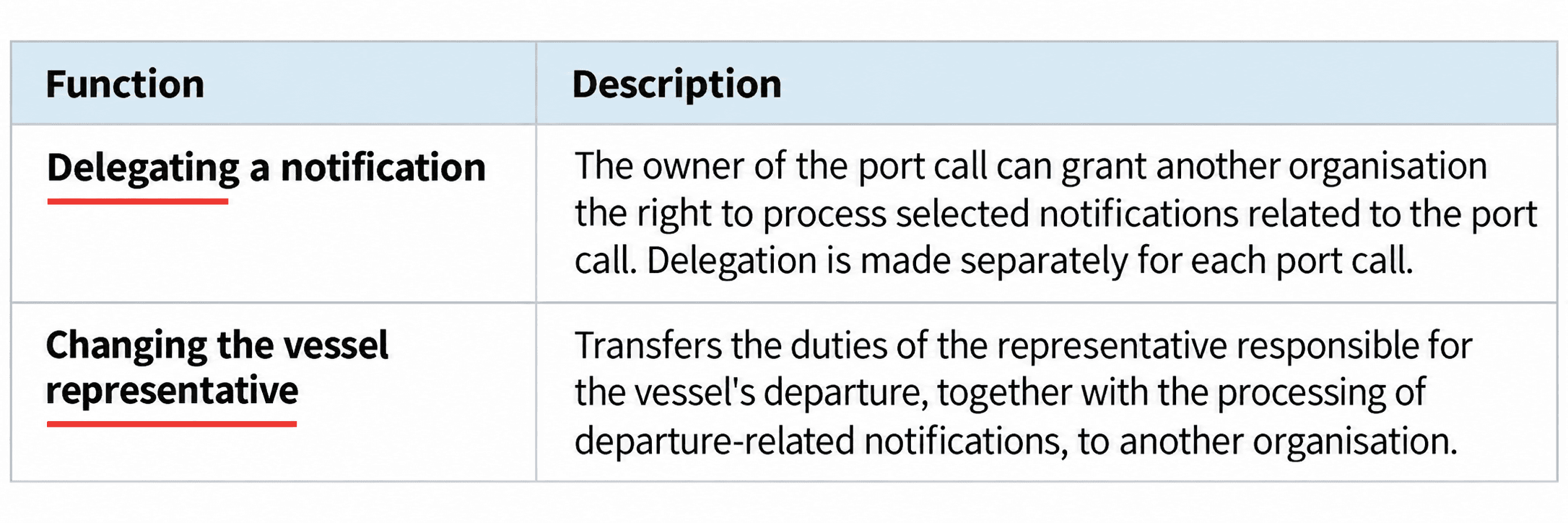
The processing of notifications related to a port call can, when necessary, be divided between several organisations in two ways:
The owner of the port call is always responsible for the content of the notifications and for submitting them within the required deadlines, even if the processing of a notification has been delegated to another organisation.
You can access these functions either by:
- opening Menu from the main menu and selecting Delegation management
- opening the relevant port call in the Port Calls view and selecting Delegate or Change vessel representative.
This opens the Delegations view.
Delegating a notification
By delegating a notification, the owner of the port call can grant another organisation the right to process selected notifications related to the port call. Delegation is made separately for each port call.
In the Delegations view, you can view both notifications delegated to your organisation and notifications that your organisation has delegated to other organisations.
- Received delegations contains notifications delegated to your organisation.
- You can view received delegations, but you cannot edit them.
- Your delegations contains delegations created by your organisation.
An email is sent to the contact person of the receiving organisation when a new delegation is created or an existing delegation is later changed.
Note:
- Several delegations can be created for the same port call.
- The receiving organisation can process only the notifications delegated to it.
- A delegated notification cannot be further delegated to another organisation.
How to create a delegation
- open Delegations
- select Create delegation
- enter the Port call identifier (Visit ID)
- select the organisation to which you want to delegate notifications
You can select from organisations registered in Nemo that have the right to submit port call notifications.
- select or search for the notifications to be delegated:
- all notifications
- arrival notifications
- departure notifications
- individual notifications
- by entering the notification code or name in the search field
- select Submit delegation
You can see that the delegations have been updated.
How to edit a delegation
- select the delegation and select Edit
- change the notifications to be delegated
- select Save
You can see that the delegations have been updated.
You can change which notifications are delegated. The receiving organisation and the Port call identifier (Visit ID) cannot be changed.
How to delete a delegation
- select the delegation you want to delete and select Delete
- confirm the deletion
- a notification confirms that the delegation has been deleted.
Changing the vessel representative for a port call
Changing the vessel representative for a port call transfers the duties of the representative responsible for the vessel's departure, together with the processing of departure-related notifications, to another organisation.
After the change, the new organisation acts as the representative responsible for the vessel's departure from the port call and is responsible for preparing and submitting the transferred departure notifications within the required deadlines.
In the Vessel representative changes view, you can view both port calls transferred to your organisation and changes of vessel representative made by your own organisation.
An email is sent to the contact person of the receiving organisation when a new vessel representative change is created and when it is subsequently changed.
How to change the vessel representative
- open Delegations
- select Change vessel representative
- select Create vessel representative change
- enter the Port call identifier (Visit ID)
- select the new organisation responsible for the departure
- review and select the notifications to be transferred
- select Save
- a notification confirms the change of vessel representative
- an email notification is sent to the contact person of the receiving organisation.
Notifications to be transferred
When the vessel representative is changed, certain departure-related notifications are always transferred to the new representative. You can also select additional notifications to be transferred.
How to edit a vessel representative change
- open Delegations
- select the vessel representative change
- make the necessary changes
- select Save
- a notification confirms that the vessel representative change has been updated.
How to delete a vessel representative change
- open Delegations
- select the vessel representative change you want to delete
- select Delete
- confirm the deletion
- a notification confirms that the vessel representative change has been deleted.
Note:
- Responsibility for arrival-related notifications remains with the original owner of the port call.
- After the vessel representative has been changed, the original owner can no longer delegate departure-related notifications to another organisation.